How to make a Discord avatar (free, with AI)
July 16, 2026 · updated July 26, 2026
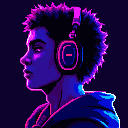
Your Discord avatar renders about 32 pixels across in chat — a tiny circle next to everything you say. That's exactly why pixel art works so well for it: pixel art is designed to read at small sizes, where photos turn to mush and detailed illustrations become noise. Here's how to make one in about a minute.
Option 1: From a text prompt
Open the generator and describe the avatar you want — "a fox wearing headphones", "knight with a neon visor", "cozy wizard drinking coffee." Two tips that matter for avatars specifically:
- Say "portrait" or "centered face" — you want a subject that fills the frame, not a full-body character floating in space. At 32px, a face is legible; a full body is a smudge.
- Generate a batch. Ask for several takes on the same prompt in one run and pick the strongest silhouette — the one you can still "read" when you squint. That squint test is basically a preview of the chat-size render.
Here's the test rather than the description — four takes of "a fox wearing headphones" from a single batch, each with its chat-size render underneath:
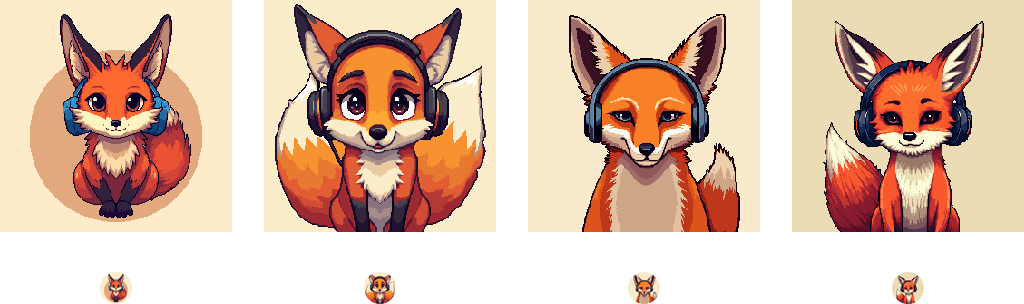
The first take is a full-body fox, and at chat size it collapses into an orange blob. The two that fill the frame with a face still read. Nothing about the first one is worse — it just wasn't drawn for a 32-pixel circle.
Option 2: From your photo
Upload a photo of yourself as a reference image and set the strength high to keep the likeness. The result is you, redrawn as pixel art — recognizable to friends, distinctive in a server full of anime screenshots and default avatars. (The full photo-to-pixel process, including how the strength slider works, is covered in how to turn a photo into pixel art.)
Sizing and the circle crop
Discord accepts uploads up to 10MB and displays every avatar as a circle — large on your profile, tiny in chat. Practical consequences:
- Generate square (1:1 aspect) — anything else gets cropped.
- Keep the subject centered — Discord's circle crop eats the corners, so anything important in a corner disappears.
- Download with a transparent background if you want the avatar to sit cleanly on Discord's own circle color, or keep a solid background color as part of the look.
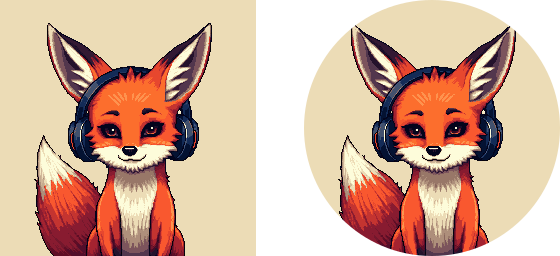
The same avatar before and after the circle. The corners go — no loss here, because the subject is centered. Put an accessory or a signature detail in a corner and that's what you'd lose.
Export it larger than you think. Discord serves avatars at sizes up to 4096 pixels, so a small upload doesn't stay small — it gets smoothly enlarged for profile views on high-DPI screens, which is exactly how pixel art loses the hard edges you generated it for. Generate at 256 and use the upscale option to export around 512: the upscaling is nearest-neighbour, so the pixel grid stays intact and Discord never has to invent detail to fill the space.
Make it match your server life
A few directions that consistently look great at avatar size: a character bust with one strong accent color, an animal with an accessory (the accessory is what makes it yours), or your own photo converted at high strength. If you want a starting point instead of a blank prompt, the examples page shows the styles side by side.
Try it
The free plan includes 10 generations a month — enough to iterate your way to an avatar that feels like you. Make yours →